In a jewelry shop, a customer can tilt a ring under the light, try it on, and feel how heavy it is. Online, the photos have to cover all of that. They need to show sparkle without glare, true metal color, real size, and fine detail, often in a square only a few hundred pixels wide on a phone.
This guide breaks a jewelry listing into the shots it needs and explains what each one does. It also covers lighting and preparation.
What makes jewelry hard to photograph
- It's tiny. At close focus, depth of field gets very shallow, so a ring can be sharp at the front and soft at the back.
- It reflects everything. Polished gold and silver work like curved mirrors.
- Stones need contrast. A diamond on a plain white field with flat light can look like glass. Its sparkle comes from dark and bright reflections inside the stone.
- Dust shows up. At macro scale, every fiber and fingerprint is visible.
- Metal color matters. Yellow, rose, and white gold have to stay distinct and accurate.
Planning a shoot in Los Angeles?
Tell us about your products and preferred date and we'll send a full quote.
NOW
The shot list
1. The hero
A clean, front-facing image on a consistent background, usually white or a soft neutral. This is what appears in your collection grid and search results, so keep the angle and scale the same across the catalog. Rings are often shown slightly angled to reveal the stone and part of the band. Necklaces are usually laid flat or hung on a form.
2. Alternate angles
Show the profile, the back, and the clasp. With rings, buyers want to see the gallery and setting under the stone. With earrings, they want to see the back or post.
3. Macro details
Close-ups of prongs, pavé, engraving, hallmarks, and chain links. These images show craftsmanship and help justify the price.
4. Scale and on-body
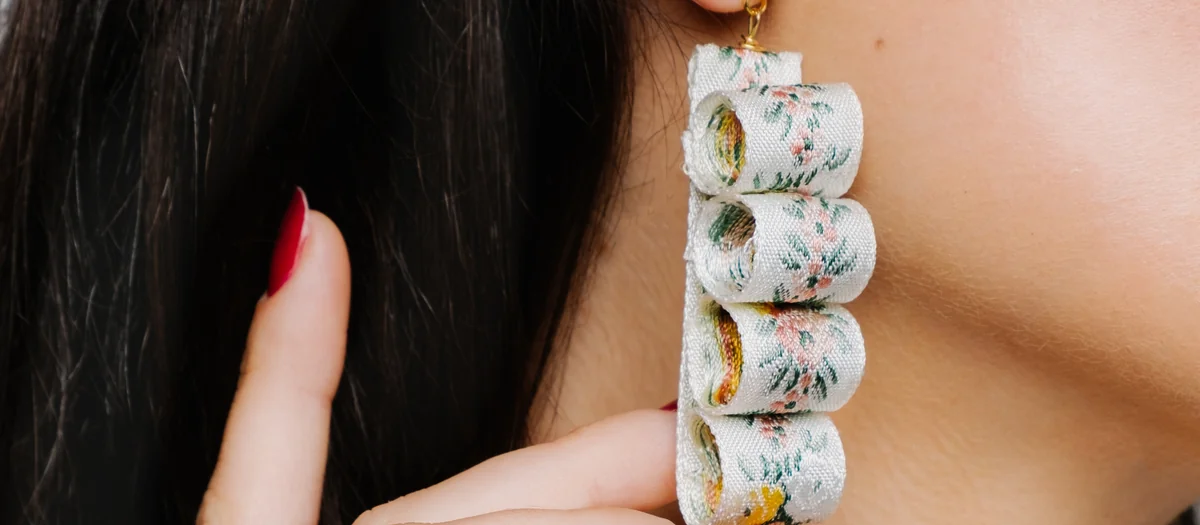
Jewelry is notoriously hard to size from a white-background photo. A ring on a hand, earrings on an ear, or a pendant at the collarbone tells the buyer right away how big the piece is. Hand and on-model shots are worth planning for every bestseller.
5. Lifestyle and editorial
Gift boxes, styled vanity scenes, layered stacks, or a model in context. These carry the brand story on the homepage and in ads.
6. Sets and stacks
If customers buy pieces together, such as stacking rings or a matching necklace and earrings, show them together. It can raise order value and helps people picture the look.
Lighting metals and stones
Metals: large, soft sources
Polished metal reflects its surroundings, so you're really lighting the reflection. Large diffused panels close to the piece make smooth gradients across a band. White cards fill in shadows, and black cards add the dark lines that show a polished curve.
Stones: add sparkle on purpose
Small, harder highlights, or a light placed to the side and slightly behind, can make facets come alive. Some photographers place small mirrors or bits of reflective card near the stone to direct light into it. Too much hard light gives harsh glare, so it's a balance.
Focus stacking
To get a piece sharp from front to back at macro distances, photographers often shoot several frames at different focus points and blend them. It adds editing time but solves the shallow depth-of-field problem.
Mistakes that cost sales
- Inconsistent backgrounds and scale across a collection, which makes the grid look thrown together.
- Color drift between metals, so rose gold looks yellow or white gold looks gray.
- Dust and fingerprints left in final images.
- No scale reference, which leads to "smaller than expected" reviews and returns.
- Too much retouching. Polishing stones until they look synthetic undermines trust. The image should show the piece you're actually selling.
Retouching jewelry, honestly
Jewelry usually needs more retouching than other products. Typical work includes dust and scratch removal, background cleanup, evening out metal tones, and blending focus stacks. Our line is that retouching may remove dust and distractions, but it shouldn't change the design, the stone quality, or the metal color of what the buyer receives. Retouching at Vidd Studios is priced per image, with standard and rush turnaround. See retouching and AI imaging for details, or read how much retouching product photos need.
Optimizing jewelry images for the web
- Export at a consistent size and aspect ratio for your platform. We cover Shopify and Amazon specifics in separate guides. Amazon's jewelry category also has its own style guide, so check it before you shoot.
- Use descriptive file names and alt text, such as "14k yellow gold solitaire ring, side view."
- Give zoom room: upload large enough that a shopper can zoom into the stone.
How to brief a studio for a jewelry shoot
A clear brief saves hours on set. Include:
- A SKU list with metal type, stone type, and variants
- Shot list per SKU: hero, angles, macro, on-body, lifestyle
- Background and ratio that match your current site
- Reference images you like, from your brand or others
- Model needs: hands, ears, necklines, or AI-assisted on-model images
- Priority pieces to shoot first if time runs short
- Packaging you want shown, such as boxes or pouches
Send the pieces cleaned and individually bagged, and point out any pieces that are fragile or high-value.
Shoot jewelry with Vidd Studios
Vidd Studios photographs jewelry from our Covina studio for brands across LA County. That includes clean ecommerce sets, macro detail, and styled editorial work. If you need on-body scale shots without booking a model, our AI-assisted imaging places your real photographed piece onto AI-generated models. Visit the jewelry photography page to plan your shoot.
Frequently asked questions
What background is best for jewelry product photos?
White or a soft neutral works best for hero and grid images because it keeps the focus on the piece and matches marketplace rules. Use textured or colored surfaces for lifestyle images.
How do you stop jewelry from looking blurry up close?
Photographers often use focus stacking: they shoot several frames focused at different depths and blend them so the whole piece is sharp.
Do I need on-model jewelry photos?
For most pieces, yes. At least one scale shot helps buyers judge size. It can be a real hand or model, or an AI-assisted composite using your real product photo.
How much retouching does jewelry need?
Usually more than other products, because dust and scratches show at macro scale. Retouching should clean the image without changing how the piece really looks.
How many photos should a jewelry listing have?
A solid set includes a hero, two or three alternate angles, a macro detail, a scale or on-body shot, and a lifestyle image.