A flat lay looks effortless when it works. A tee sits square, the print reads at a glance, the collar is crisp and the color on screen matches the box that shows up at the customer's door. Getting there takes more planning than people expect, and nearly all of it happens before anyone picks up a camera.
This guide covers how we think through flat lay product photography at Vidd Studios: what the photo has to accomplish, how to get garments and accessories ready, which layout to choose, and what to send us so the session goes smoothly. You can see the kind of work we mean in our flat lay photography gallery: graphic tees, camp shirts, overshirts, coach jackets, denim, joggers, shorts, a bucket hat, a backpack and a branded water bottle.
Give every image one job
Before you think about props or angles, decide what each photo needs to do for a buyer. Most flat lays fall into one of three roles:
- Listing image. A clean view of the item by itself, so a shopper can judge shape, print and color. It has to match every other listing in the store.
- Detail image. A tight frame on what the overview can't show well: a woven label, embroidery, a zipper pull, a pocket, the texture of a knit.
- Story image. A styled arrangement, such as a full outfit, a gift set or a drop shown together, made for a homepage banner, an email or a social post.
A single product might need all three, or only the first. Writing down the role for each frame keeps the shot list honest and stops the day from drifting into "let's try one more set-up."
Planning a shoot in Los Angeles?
Tell us about your products and preferred date and we'll send a full quote.
NOW
Know where the photos will be used
The same flat lay can be cropped many ways, so plan around the places it will appear. A collection grid on your store, a marketplace listing, a square social post and a wide email header each favor a different shape. If you already sell online, look at your live product page and note the crop your theme uses. Then we can frame with enough space around each item for every format you need.
If you sell on Shopify or Amazon, each has its own image guidance. We cover those in Shopify Product Images: Sizes, Ratios, Files and Amazon Image Rules: A Shoot-Day Checklist. Check the platform's current help pages before your shoot, since requirements can change.
Build the product list first
A clear product list is the backbone of a flat lay session. For each item, note:
- The product name or SKU and every colorway you want photographed.
- Front, back or both, plus any detail frames.
- Whether it needs a story image as part of a set.
- Anything fragile, one-of-a-kind or due back to a sample room by a set date.
Group the list by color and size of item. Light-colored pieces, dark pieces and small accessories each tend to need small lighting adjustments. Shooting similar items back to back keeps the setup steady and the results consistent.
Prep garments so they lie right
Wrinkles, lint and lopsided hems look worse flat than they do on a hanger, because the camera sees every inch of the surface at once. A little preparation saves a lot of retouching later:
- Steam or press each piece, and pay attention to collars, plackets and hems.
- De-lint dark fabrics right before they go on set. Black cotton shows every speck.
- Decide on tags. Hang tags, size stickers and care labels should be handled the same way across the whole drop: all on, all off or tucked.
- Shape from inside. Tissue or card inside a tee or a bag gives it gentle volume, so it reads as a real object rather than a sheet of fabric.
- Bring a backup of your best seller if you can, in case a sample gets marked during handling.
Our prep checklist for e-commerce shoots has more on getting products ready.
Pick a layout style
There's no single right way to lay out a product, but each choice gives a different result.
Single item, squared up
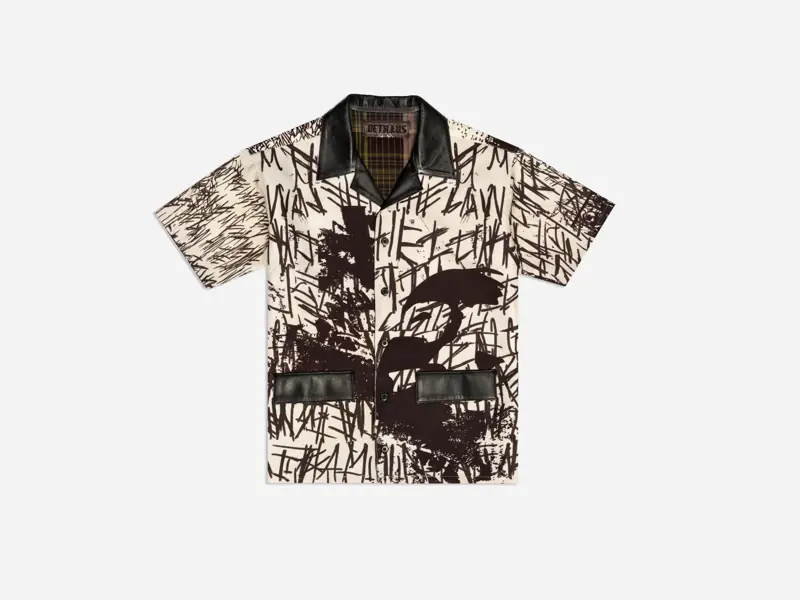
The garment is centered, sleeves and legs placed symmetrically, with the same framing from item to item. This is the workhorse for listing images. It's also the easiest style to keep consistent across a large drop.
Folded or angled
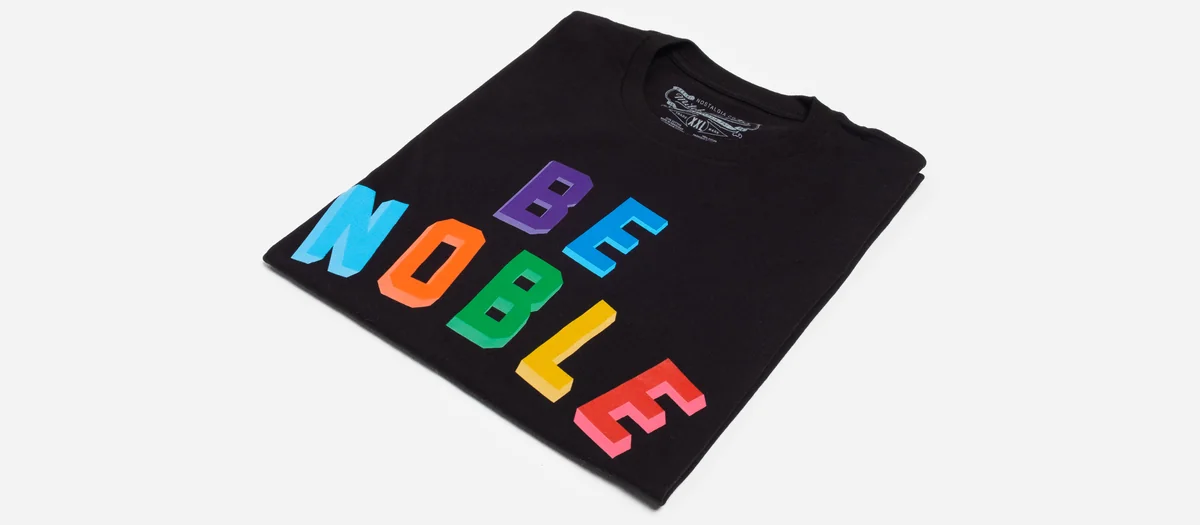
A folded tee photographed at a slight angle, like the graphic tee at the top of this page, puts the print forward and shows the fabric's weight. It works well for basics and graphic pieces where the artwork is the selling point.
Grouped or styled
Several items arranged together: a full outfit, a capsule or a gift set with a few supporting objects. It tells a story, but it needs more planning. Decide which piece is the hero, give it the most space and the strongest position, and let everything else support it.
Keep light and color the same across the drop
For online stores, consistency is what makes a collection page look professional. That comes down to a few habits:
- Soft, even light that shows fabric texture without harsh shadows or hot spots on shiny trims.
- The same setup for every item in a group, so differences between images come from the product, not the lighting.
- A color reference in a test frame, so edits start from a neutral point.
- A side-by-side check of the final file against the real item before delivery, especially for brand colors.
When color matters most, such as a seasonal colorway or a shade customers order by eye, tell us in the request form so we can give it extra attention.
Use props with restraint
Props can help a story image, but they compete with the product in a listing image. A simple test: if the prop doesn't tell the buyer something useful about the product, such as its size, its use or the collection it belongs to, leave it out. For listing images, a clean background is usually the stronger choice.
Plan for cleanup retouching
Even well-prepped flat lays usually need some cleanup. Typical fixes are stray lint, small wrinkles, uneven backgrounds, and color matching to the physical sample. Photo retouching, image editing and color grading at Vidd Studios are $40-$60 per image, so it pays to decide in advance which frames will be published and only retouch those. Our guide How Much Retouching Do Product Photos Need? explains how to set the level image by image.
Mistakes that make flat lays look cheap
- Mixing backgrounds or crops within one collection.
- Leaving garments unsteamed and hoping retouching will fix it.
- Treating tags differently from item to item.
- Crowding a listing image with props.
- Adjusting saturation so far in editing that the color no longer matches the product.
What to send before your flat lay shoot
Booking starts with the Request a Shoot form. To get an accurate quote, include:
- Your product list with counts, colorways and the frames you need per item.
- A link to your current store, asset guidelines, a moodboard or a shot list (Google Drive, Dropbox or WeTransfer).
- Roughly how many images you want retouched.
- Your preferred shoot date and time.
- Your turnaround choice: Standard (8 business days) or Rush (4 business days, rush fee applies).
Flat lay pricing is quoted per project via the form, because it depends on item count and frames per item. If your project grows into a larger styled production, our published commercial rates are the Half-Day ($797, max 4 hours, up to 500 RAW photographs) and Full-Day ($1,997, max 8 hours, up to 1000+ RAW photographs). Vidd Studios is based in Covina and works with brands across LA County. See the flat lay photography page to start planning.
Frequently asked questions
What products work best as flat lays?
Apparel and accessories are the core: tees, shirts, jackets, denim, shorts, hats and bags. Small hard goods, like a branded bottle, can be shot the same way.
How many flat lay images does each product need?
It depends on the item. Most products need at least one clean listing image, and many benefit from a back view and one or two detail frames. Story images are usually planned per collection, not per item.
Should flat lays be shot from directly overhead?
Overhead is the standard for squared-up listing images. A slight angle can suit folded pieces and graphic tees where you want the print forward and the fabric to show some depth.
How much does flat lay photography cost at Vidd Studios?
Flat lay pricing is quoted per project via the Request a Shoot form, based on item count and frames per item. Retouching is $40-$60 per image.
Can you match the look of my existing product photos?
Yes. Share a link to your current store or a shot list in the request form, and we'll plan framing and background to match.