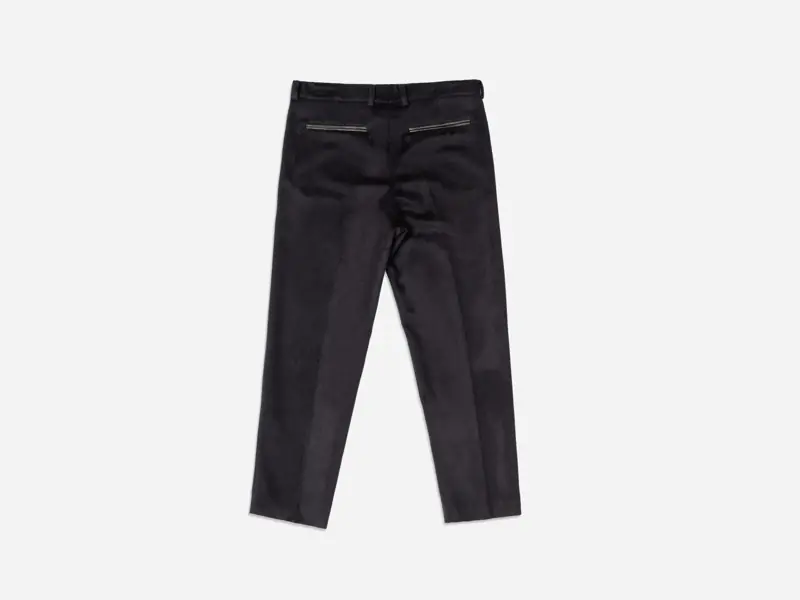
A product on a plain light backdrop looks like the simplest photo there is. There's no set, no props and no location, just the item. That simplicity is exactly why weak versions stand out. A grubby corner, a gray cast, a shadow that changes from one listing to the next or a white shirt that melts into the background makes a store look unfinished, even when the product is great.
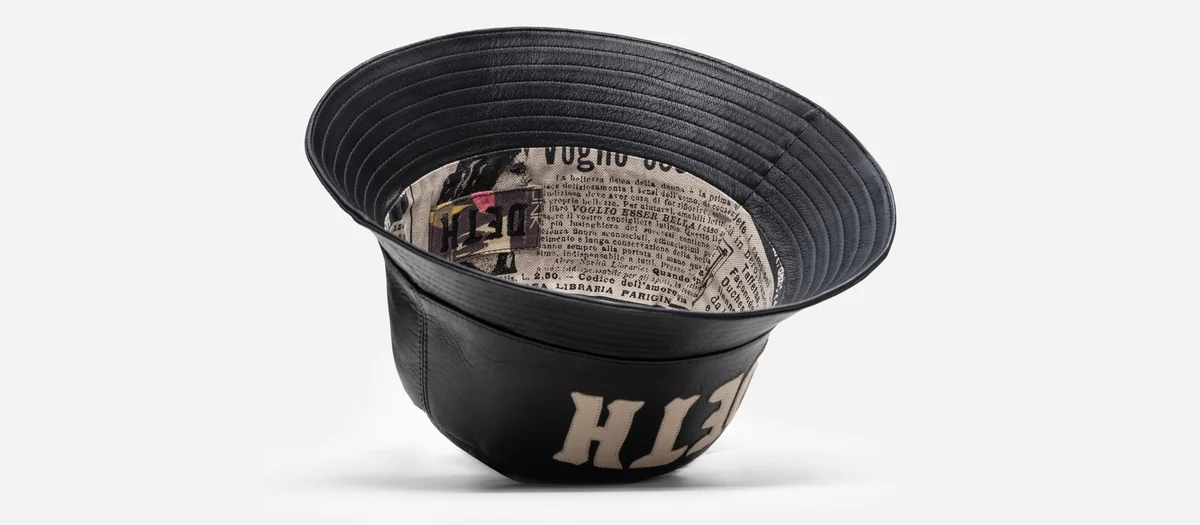
This guide walks through how we plan clean-background product photography at Vidd Studios: choosing the right shade of "white," lighting it, handling shadows and tricky items, and leaving the right amount of work for retouching. The black bucket hat at the top of this page, from our product photography portfolio, is a good reference for the look.
Why a plain light backdrop works so well
A clean backdrop does three jobs at once:
- It leaves one subject. Nothing competes with the product, so a shopper reads the shape, color and details in a second.
- It makes a grid look like a collection. When every item sits on the same backdrop with the same framing, a category page feels organized and deliberate.
- It keeps the file flexible. A product photographed on a plain field is easier to cut out later and place on a colored banner, a seasonal email header or an ad layout.
Some sales channels also make it a requirement. Amazon, for example, asks for the main product image to have a pure white background, which it defines as RGB 255, 255, 255. Our Amazon image checklist covers the rest of that platform's main-image rules. Requirements change, so check the platform's own help pages before you shoot.
Planning a shoot in Los Angeles?
Tell us about your products and preferred date and we'll send a full quote.
NOW
Pure white, off-white or light gray?
"White background" covers more than one look, and the right choice depends on where the image will be used.
- Pure white (RGB 255, 255, 255, or #FFFFFF in hex) is what a marketplace asks for when it says white. It also blends into a white web page, so the product appears to float on the site.
- Off-white or a very light gray gives the frame a visible edge and keeps light-colored products from disappearing. The hat at the top of this page sits on a soft gray, so its outline and shadow stay readable.
- One shade per collection matters more than which shade you pick. Mixing pure white and light gray in the same grid is the quickest way to make a store look patched together.
If you sell on a marketplace and your own site, plan both versions together. It's usually simpler to light for a clean field and set the final background value in retouching than to reshoot.
Light the backdrop and the product separately
The most common reason a "white" photo comes out gray is that one light was asked to do two jobs. The backdrop needs to be bright and even from edge to edge. The product needs light that shows its true color and texture. Those two goals pull in different directions.
We treat them as separate problems:
- Backdrop light is set to brighten the background evenly, without spilling onto the edges of the product and washing them out.
- Product light is shaped for the item: broad and gentle for fabric, more controlled for glossy or metallic surfaces that pick up reflections.
- A test frame with a neutral reference at the start of each setup gives retouching a reliable starting point for color.
Keeping the two separate means the background can be pushed brighter without turning a black garment gray or a white one into a blank shape.
Decide on your shadow style once
Shadows are a brand choice, not an accident. There are three common options:
- A soft contact shadow under or beside the item, which grounds it and gives a sense of weight. The hat above uses this.
- No shadow, a full cutout where the product floats on the field. It suits very graphic, minimal stores.
- A reflection, a mirror-like base under the product. It's more stylized and works best for hard goods.
Whichever you pick, use it everywhere. A floating cutout next to a grounded product looks like an error, even to shoppers who couldn't say why.
White, clear and black products need extra care
Some items fight a light backdrop:
- White and cream items can lose their outline. A slightly darker backdrop, a defined edge shadow or careful edge work in retouching keeps the shape clear.
- Black items can turn into a flat silhouette. They need enough light to show seams, texture and details such as the lettering on the hat above.
- Clear, glossy and metallic items reflect everything around them, including the backdrop. Plan extra setup time and expect more retouching for these.
Flag these products in your request so we can group them and plan the light for each.
Prep is unforgiving on white
A plain background shows every flaw, because there's nothing else to look at. Before shoot day:
- Steam or press garments and pay attention to collars, hems and pocket flaps.
- De-lint dark fabrics right before they go on set.
- Wipe hard goods, and handle glossy items with gloves to avoid fingerprints.
- Peel off price stickers and protective film unless they're part of the product.
- Decide once how tags are handled across the whole collection.
Our e-commerce shoot prep checklist goes into more detail.
A consistency checklist for the whole catalog
Before you approve a set, line the images up and check:
- Same backdrop value in every frame, corners included.
- Same camera height and angle for the same product type.
- Same framing, with the product filling the frame by a similar amount.
- Same shadow style.
- Color that matches the real item, checked side by side with a sample.
If you already sell online, send us a link to your current store so new images match the ones already live.
Where retouching finishes the job
Even a well-lit clean-background shot usually needs some post-production before it goes online. Typical work includes evening out the backdrop to its final value, cleaning up dust and stray lint, refining edges on light-colored items, keeping or softening the shadow to match your style, and checking color against the product. Photo retouching, image editing and color grading at Vidd Studios are $40-$60 per image. Turnaround is Standard (8 business days) or Rush (4 business days, rush fee applies). To decide how much editing each frame needs, see How Much Retouching Do Product Photos Need?
Mistakes that make clean backgrounds look cheap
- Calling a backdrop white when the corners are noticeably gray.
- Brightening the whole image to fix the background, which flattens the product's color.
- Mixing shadow styles or backdrop shades within one collection.
- Letting white products blend into the background with no edge definition.
- Over-editing until the color no longer matches what the customer receives.
Planning a clean-background shoot with us
Booking starts with the Request a Shoot form. Include:
- Your product list with counts, colorways and the angles you need.
- Where the images will be used: your store, a marketplace or both.
- Your preferred background (pure white or light gray) and shadow style, or a link to images you want to match.
- A link to asset guidelines, a moodboard or a shot list (Google Drive, Dropbox or WeTransfer).
- About how many images you want retouched, plus your preferred shoot date, time and turnaround.
Product photography pricing is quoted per project via the form, because it depends on item count and frames per item. Vidd Studios is based in Covina and works with brands across LA County. See product photography in Los Angeles or our flat lay photography page for examples.
Sources
- Amazon Seller Central, "Product image requirements" (main image: pure white background, RGB 255, 255, 255): https://sellercentral.amazon.com/help/hub/reference/external/G1881 (sign-in may be required)
- Amazon Seller Forums, Amazon staff reply quoting the main-image white-background rule: https://sellercentral.amazon.com/seller-forums/discussions/t/59480bf0-59ef-4f02-94f4-51d333e8dfb6
Frequently asked questions
Should product photos be on pure white or light gray?
Use pure white where a sales channel requires it, such as Amazon main images. On your own site, a soft light gray can keep light-colored products and shadows easier to see. Pick one and use it across the collection.
Can a white background come straight out of the camera?
Good lighting gets close, but most clean-background images still need background cleanup and color checks in retouching before they're ready to publish.
How do you photograph white products on a white background?
Give the product a defined edge with a slightly darker backdrop, a soft shadow or careful edge work in retouching, so the outline doesn't disappear.
Should my product photos have a shadow?
That's a style choice. A soft contact shadow grounds the product, while a cutout with no shadow looks more minimal. Use the same style everywhere.
How much does white background product photography cost at Vidd Studios?
Product photography is quoted per project via the Request a Shoot form, based on item count and frames per item. Retouching is $40-$60 per image.